
Guide · intermediate · 8 min
How to Use Claude & GPT like an Agent-Native VC Going into 2027
Eight habits that separate VCs getting real work out of Claude and ChatGPT from those still chatting with them.
Claude and ChatGPT changed more in the last six months than in the two years before. Agents now work for hours, make documents and decks, and run in the background after you close the laptop. (Every release is on the timeline, side by side and sourced.)
Most VCs still use them as a chat box: type a question, read the answer, copy it somewhere else. That leaves most of the value on the table. These are the eight habits we'd start with.
1. Bite the bullet: use Claude Code and Codex
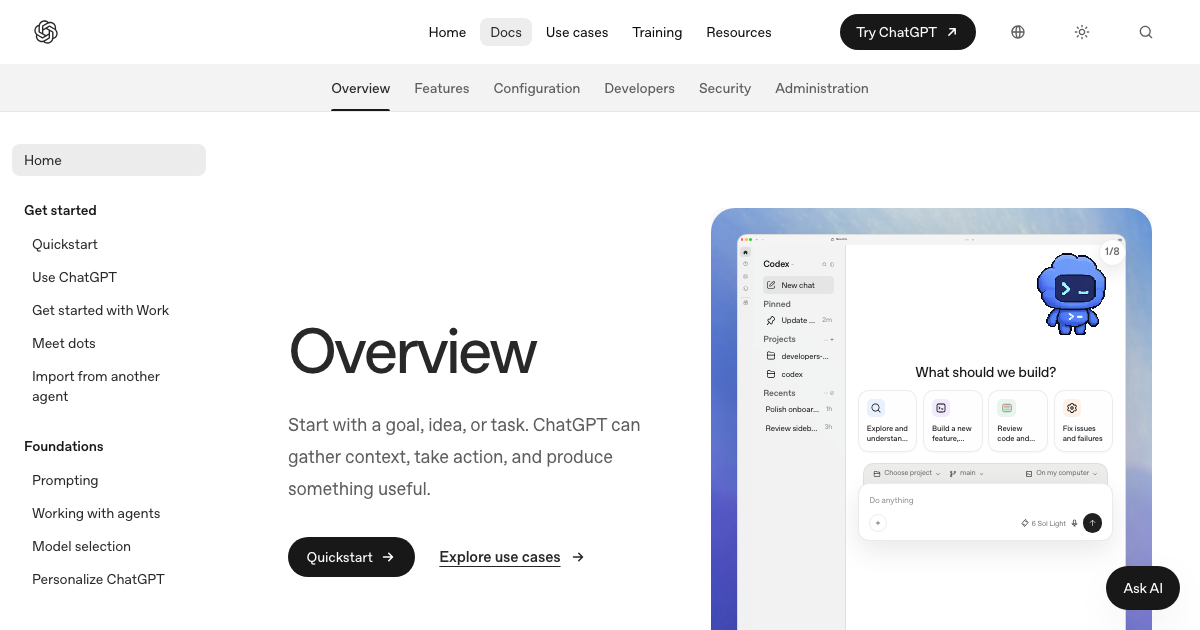
The chat window is the weakest way to use these models. Claude Code Pair-program with Claude in your terminal. Claude Code is Anthropic's terminal-native AI coding agent. It reads files, runs commands, edits code, and pairs naturally with git workflows. · 5 members using OpenAI's coding agent across a CLI, a desktop app, IDEs and the cloud, included with ChatGPT plans. Codex is OpenAI's software engineering agent. It runs as an open-source CLI, a desktop app, IDE extensions and cloud tasks, edits and runs code in your projects, and can drive a Chrome browser. It is included with paid ChatGPT plans. · 1 member using


Why it matters:
They work on your files directly. They read a whole folder (a data room export, last quarter's portfolio updates, your memo archive), write new files, and edit existing ones in place. No uploading, no copy-paste, no "here's the text, now paste it into Word."
They come with a harness. The model is the same one you chat with; what's around it is what makes it powerful:
Project instructions (
CLAUDE.mdorAGENTS.md) it reads at the start of every session: your firm, your thesis, your standards.Skills: saved playbooks it loads when the task calls for one, like "how we write an IC memo".
Connectors to your CRM, drive, email and calendar.
Subagents and parallel sessions that split a big job into pieces and work them at once.
Plan mode, which shows you its plan before it touches anything.
Permissions and approvals, so it asks before sending, deleting or spending.
Checkpoints, so you can rewind a session when it goes the wrong way.
Scheduled and background work that runs while you're in meetings.
Git, so every change is saved and reversible.
And many more: hooks, slash commands, worktrees, browser control, computer use.
No terminal required anymore. Claude Code is the Code tab in the Claude desktop app; Codex is a view in the ChatGPT desktop app, on every plan including Free (since July 9). You pick a folder and talk.
Start here: make a folder for one deal, drop in everything you have, and ask Claude Code or Codex for a first-pass diligence summary. Watch what it does with a folder instead of a paste.
2. Write specs, plans and briefs, not prompts
The models can now do complex, multi-hour work: Codex's goal mode works toward an objective for hours or days, Claude Code can run hundreds of subagents on one job, and ChatGPT Work and Claude's Cowork keep going after you close the laptop. A one-line prompt wastes that. It's like handing an associate a sticky note and expecting a finished IC memo.
Write it down first, then drop it in. A good brief is a short document that says:
The goal: what done looks like, and who it's for (the IC, an LP, a founder).
The inputs: which files, folders and sources to use, and which to ignore.
The standards: your firm's memo structure, how you cite, what you never say to an LP.
The steps: the order of work, and where to stop and check with you.
Save it as a file in the deal folder, then say: "Read brief.md and do it." The model works from the brief, you review the result against it, and next time you reuse the brief instead of re-explaining.
This is the habit behind Context Vigilance A context-v/ folder in every repo, and the habits that keep it true, so agents and people work from the same versioned context. Context Vigilance is Lossless Group's convention and plugin for keeping a project's context (specs, plans, prompts, reminders, agent skills) in a versioned context-v/ folder that coding agents read and maintain. It's the source of the -v folder names used behind a home connector.

context-v/ folder, so people and agents work from the same written context. Keep your best briefs, and they become your firm's playbooks.
3. Put routine work on a schedule
A fund runs on recurring chores: triaging the pipeline, nudging founders for updates, rounding up portfolio materials before a board meeting or LP report, sorting the week's event invites. Both companies now let an agent do these on a schedule, in the cloud, while you're doing something else.
| ChatGPT | Claude | |
| The routine agent | Workspace agents (generally available since May 21): describe the workflow once and ChatGPT builds the agent; share it with the team, run it on a schedule or from Slack | Cowork, now part of every Claude conversation (since Sep 16): hand it a task and set it to repeat; scheduled tasks run in the cloud with no device online (since Jul 7) |
| Always on | Dots Dots An always-on agent in ChatGPT with its own cloud computer, that learns your priorities and keeps working between conversations. Dots are OpenAI's always-on agents in ChatGPT, launched September 29, 2026. Each has its own cloud computer and browser, starts from your ChatGPT memory, connects to your apps, and takes on ongoing responsibilities, messaging you in ChatGPT, Slack or Teams. Custom Rules decide what it can do alone and what needs your approval. | Claude Duet  Claude Duet Anthropic's always-on agent: a morning brief, eyes on your inbox and calendar all day, and work done in the background, with your approval before anything goes out. Claude Duet is a separate Claude app, launched as a research preview on October 21, 2026, where Claude works as a proactive agent. It sends a morning brief, watches Gmail, Slack, your calendar and business tools through the day, and works in the background on its own cloud computer and browser. It shows you exactly what it will do and waits for approval before it sends, pays, signs or deletes anything. |
| Simple reminders | Scheduled tasks (since Jun 17) | Recurring tasks in Cowork |
Routines worth handing over first:
Pipeline triage: every morning, score new inbound decks against your thesis and post a short list.
Founder status emails: draft monthly check-ins to each portfolio founder, with what you last heard from them.
Portfolio roundup: before a board meeting or LP report, collect every company's latest update, metrics and news into one document.
Event triage: each week, sort conference and dinner invites into yes, maybe and no, against the people and themes you care about.
Write each one as a brief first (habit 2), then put it on a schedule. And keep a person in the loop for anything that leaves the building: have the agent draft founder emails for you to send, and require approval before it sends, deletes or edits anything shared.
4. Ditch the legacy formats: let models use HTML, CSS and JavaScript
You don't need to know any of these. HTML, CSS and JavaScript are just a file format, like .pptx or .docx, but one every agent fully understands and works with easily. You describe what you want; the model writes the files.
PowerPoint, Word and Excel files are hard for agents to work with: binary, proprietary, and built for a person clicking. HTML, CSS and JavaScript are plain text, which models read and write fluently, and they make better work product:
Designs, pages, decks, dashboards, one-pagers, memos, data rooms: all of it can be a web page.
Shared by link, opened on any device, no attachment. Claude's shared artifacts open without an account (since August 19).
Live: a portfolio dashboard can pull current numbers instead of going stale in an attachment.
Your brand as code, applied the same way every time, instead of a template someone breaks. Write it down once in a
DESIGN.mdfile, following the open DESIGN.md specification from Google's Stitch team: your colors, fonts, spacing and components in a format any agent reads. Drop it in the folder, and every deck, page and dashboard comes out on brand.Versioned: every change saved, and nothing lost to "final_v7_REAL.pptx".
The tools are there: Claude makes designs, decks, docs, sheets and dashboards in any chat (Claude Design, Slides, Docs and Data), and ChatGPT and Codex publish web pages and apps with Sites. When an LP needs a PDF or a .pptx, export one at the end. Don't start there.
Start with artifacts. You don't have to set anything up to work this way. Both apps now make web-native work product right in the chat (Claude calls them artifacts):
| The job | Claude | ChatGPT |
| A deck or pitch | Claude Design or Claude Slides | ChatGPT Slides (in Space, on Pro, Business and Enterprise) |
| A video presentation or explainer | Claude Motion: animated, editable, exports MP4 (Team and Enterprise beta) | No direct equivalent yet |
| A custom CRM or portfolio view | Claude Data (launched as Dashboards): live views on your CRM or warehouse, with certified metrics | ChatGPT Sites: a small web app or live dashboard on its own URL |
| A memo or shared doc | Claude Docs | Pages in ChatGPT Space |
| A model or tracker | Claude Sheets (beta) | ChatGPT inside Excel |
| A brainstorm | Claude Whiteboards (beta) | No direct equivalent yet |
Sharing is built in. A Claude artifact starts private; one Share menu lets you share it with your team, with view, comment or edit access, or with anyone who has the link, no Claude account needed (on Team and Enterprise, an owner has to allow sharing outside the org). ChatGPT's Sites get their own URL, and Space lets a team co-edit Pages and Slides.
This session's deck is the example: it's a web page, built with Claude Code.
5. Experiment with enterprise context
Every chat starts from zero unless something gives the model your firm's context: the thesis, the portfolio, past memos, who said what in last month's partner meeting. A wave of tools now does exactly that, and it's worth trying a few on a corner of your work.
Memory and context startups. They sit between your agents and your knowledge, decide what's worth remembering, and feed the right context back in:
Glen
records your and your team's agent sessions and feeds the right context back into Claude Code, Codex or Cursor.
 Glen
Records your agent sessions and your team's, then quietly feeds the right context back into Claude Code, Codex or Cursor.
Glen is a memory and context layer for coding agents. It records your sessions and your team's, connects to your apps, and silently injects relevant context in the background, steering Claude Code, Codex or Cursor to finish faster, do better work and use fewer tokens. It adds shared skills and artifacts across a team, lets agents answer questions about their own past work, keeps a searchable library of agent sessions, and controls who can see which shared memories.
· 1 member using
Supermemory, Mem0, Zep, Letta and Cognee give agents long-term memory across sessions and apps.
Enterprise search. Glean, and open-source Onyx, which we self-host for a client, index the firm's drives, email and wikis so an agent can search all of it at once.
Vector databases, the storage most of these are built on, which you can also use directly: Chroma (we run it locally over our own docs and past agent sessions), Pinecone, Weaviate, Qdrant and pgvector for Postgres.
Open-source tools that make sense of what you have. These run inside Claude Code or Codex:
Graphify turns a folder of code, docs, papers or transcripts into a knowledge graph you can query.
Archify turns an idea, plan or codebase into an interactive diagram.
GraphRAG from Microsoft, and LightRAG, answer questions across a whole document set by building a graph of it first.
None of these is the answer yet, and several will merge or disappear. Pick one problem, like "what have we said about this company before?", and try two tools against it.
6. Give your AI direct access: APIs and your browser
Most services your firm uses have an API: a documented way for software to read and write their data. Most non-developers have never needed to look up the API docs or use the API, and for good reason: it's complicated. But for your AI, it's as easy as riding a bicycle.
A connector (an MCP server the vendor publishes) is usually a limited subset of what the API can do: the handful of actions most people use most often, picked by whoever built it. That's why connectors can feel limited. With direct API access, the possibilities expand dramatically.
Give the model the API documentation and authorized access (a key that lives in the connector, never pasted into the chat), and it can do anything the API allows: bulk-update records, build custom views, move data between tools, answer questions no connector anticipated. Models read API docs fluently and write the calls themselves.
Good places to start:
Twenty
, the open-source CRM, has a full REST and GraphQL API. Twenty
A modern, open-source CRM you can self-host, extend with custom objects, and drive from Claude through its API and MCP server.
Twenty is an open-source CRM built as a modern alternative to Salesforce. It can be self-hosted or used as a cloud service, supports custom objects and fields, workflows and dashboards, and exposes a full API, so agents can read and write records directly. Recent releases add AI agents and skills inside the product.
· 2 members using
Affinity
, the relationship CRM many funds use, has an API for lists, organizations, people and notes.
 Affinity
Relationship-intelligence CRM built for VC and PE: captures emails and meetings automatically and maps who knows whom.
Affinity is a CRM for private capital firms. It builds records automatically from email and calendar data, scores relationship strength across the firm's network, and supports deal sourcing and pipeline management, with AI features for meeting notes and research.
· 1 member using
Linear
has a GraphQL API for projects and issues. Linear
Fast issue tracking and project planning, increasingly built for teams working alongside AI agents.
Linear is an issue-tracking and product-planning tool known for its speed and keyboard-driven design. It is built for planning and building products with AI agents, with an API and integrations that let agents create and update issues.


Start with a read-only key, so the model can look but not change anything. Add write access once you trust what it does, and require approval for anything that deletes or sends.
And give it your browser. Plenty of what a fund uses has no API at all: the data room, the fund admin portal, LinkedIn, a founder's investor-update page. For those, let the model use the browser the way you do. Claude in Chrome (generally available on all paid plans since Aug 26) is an extension that reads pages, clicks, fills in forms and navigates sites in your own logged-in Chrome, with a safety check on each action; Claude Code can drive it too. ChatGPT Work has a built-in browser in its desktop app.
What that unlocks for a fund: if you can log in to it, the model can use it.
Sourcing lists: run a LinkedIn search (say, senior engineers who left a portfolio competitor this year) and turn the results into a sheet. Keep it modest and on your own account: LinkedIn's terms bar automated scraping, and heavy use can get an account restricted.
Portfolio updates: log in to each company's investor-update page or portal, export the latest update and metrics, and drop them in one folder before the board meeting or LP report.
Fund admin and cap tables: pull the latest capital account statements or cap tables from your fund administrator's or Carta's portal.
Data rooms: walk a founder's data room, download what's there, and summarize it against your diligence checklist.
Forms: fill in LP due-diligence questionnaires, conference registrations and expense reports from what's already in your files.
Research behind a login: company profiles in the databases you already pay for, competitor pricing pages, regulatory filings.
Between the API and the browser, there's very little a model can't reach. Watch what it does the first few times, and keep approvals on for anything it submits or sends.
A home connector (habit 8) is the natural place to keep those keys and docs, so the whole team gets the access without anyone handling a key.
7. Automate your personal life, minimize drag
The hours a VC loses aren't all at work: travel, scheduling, the kids' activities, school emails, renewals, receipts. A new class of personal agents reads your email and calendar, acts on websites, and reminds you of things before you ask. Every errand one takes off your plate is attention back for founders.
Fellows in the Dojo have been testing them on their real lives for weeks:
 Instinct
An autonomous personal agent that lives in iMessage and acts across your apps — the Dojo's most-loved, and most-argued-about, EA.
Instinct is a personal assistant that understands your work and takes action across your applications and devices. You text it (it runs inside iMessage) or call it, and it handles life admin and errands: ordering groceries, booking trains, sending flowers, finding a court for the weekend, and working your email and calendar. Launched invite-only; free to start.
· 3 members using

 Town
A personal AI assistant (a 'Townie') that manages your inbox, schedules meetings, and handles busywork in the background.
Town gives each user a personal AI assistant — a 'Townie' — that learns how you work, manages your inbox, schedules meetings, keeps a wiki of your preferences, and handles repetitive tasks quietly in the background. Integrates with your existing apps; tasks are delegated conversationally.
· 1 member using
 Grok Bot
Persistent agents, each with its own cloud computer, that sign into your tools and keep working 24/7.
Grok Bot, launched in beta in August 2026, is xAI's team of always-on agents. Each bot has its own computer, works inside the same tools and apps you do, and keeps running around the clock; you assign it work like a teammate. Available with SuperGrok and Cursor Pro/Teams plans, with a marketplace of ready-made bots.
· 1 member using
- Dots
An always-on agent in ChatGPT with its own cloud computer, that learns your priorities and keeps working between conversations.
Dots are OpenAI's always-on agents in ChatGPT, launched September 29, 2026. Each has its own cloud computer and browser, starts from your ChatGPT memory, connects to your apps, and takes on ongoing responsibilities, messaging you in ChatGPT, Slack or Teams. Custom Rules decide what it can do alone and what needs your approval.
- Claude Duet
Anthropic's always-on agent: a morning brief, eyes on your inbox and calendar all day, and work done in the background, with your approval before anything goes out.
Claude Duet is a separate Claude app, launched as a research preview on October 21, 2026, where Claude works as a proactive agent. It sends a morning brief, watches Gmail, Slack, your calendar and business tools through the day, and works in the background on its own cloud computer and browser. It shows you exactly what it will do and waits for approval before it sends, pays, signs or deletes anything.
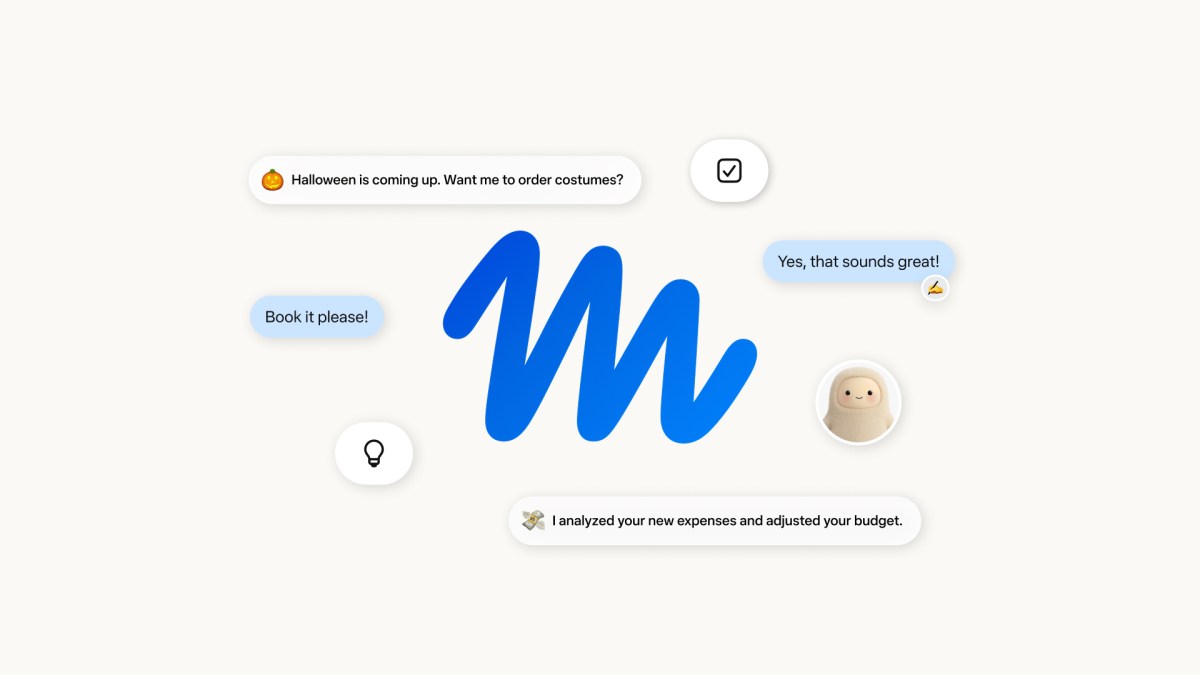 Muse
Meta's free, proactive personal agent that runs in its own secure VM and works like a messenger thread.
Muse is Meta's personal AI agent, launched September 2026. It proactively helps you stay on top of things, takes tasks off your plate (sending email, booking travel), and turns long-term goals into action plans. Each user's agent runs on a dedicated Muse Secure VM; you talk to it like a messenger contact and control what it can access. Free, with premium tiers; an end-to-end encrypted version has been announced.
 Openclaw
Bringing people closer to AI — free, open-source, community-controlled.
OpenClaw is an independent, open-source AI platform designed to be personal, neutral, and owned by users rather than corporations. Built by global contributors, it emphasizes running AI locally on your own hardware without platform gatekeeping.
· 2 members using

An open-source agent that grows with you. Install it, give it your messaging accounts, and it becomes a persistent personal agent.
· 1 member using


Both big labs now ship their own: ChatGPT's Dots An always-on agent in ChatGPT with its own cloud computer, that learns your priorities and keeps working between conversations. Dots are OpenAI's always-on agents in ChatGPT, launched September 29, 2026. Each has its own cloud computer and browser, starts from your ChatGPT memory, connects to your apps, and takes on ongoing responsibilities, messaging you in ChatGPT, Slack or Teams. Custom Rules decide what it can do alone and what needs your approval. Anthropic's always-on agent: a morning brief, eyes on your inbox and calendar all day, and work done in the background, with your approval before anything goes out. Claude Duet is a separate Claude app, launched as a research preview on October 21, 2026, where Claude works as a proactive agent. It sends a morning brief, watches Gmail, Slack, your calendar and business tools through the day, and works in the background on its own cloud computer and browser. It shows you exactly what it will do and waits for approval before it sends, pays, signs or deletes anything.
Takeaways from Using Personal Agents →: what fellows actually use them for, what worked, and how to choose one.
8. Create your firm's home connector
Today every tool is its own connector, every person keeps their own skills, and every app keeps its own memory. A home connector is one connector your whole team adds, once. Behind it sit the firm's shared skills, context, memory and tools, each with permissions, kept as files with full history. We run one for three firms today, and you can ask Claude Code or Codex to build yours.
One Home Connector for Your Whole Team →: the full recipe, with a prompt you can paste.